
1. Click on Grades in the Contextual menu at the top of the Course page.

2. Click on the red button in the top left (by default - Grader report) until you find Gradebook setup.
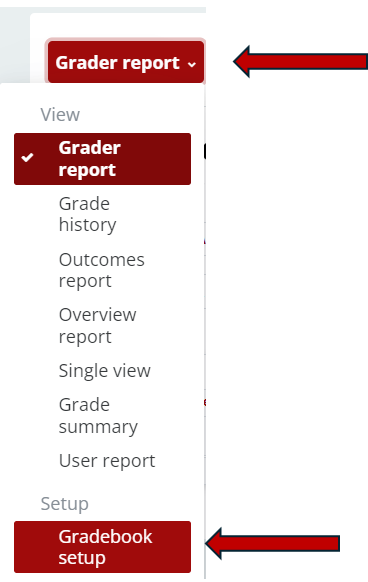
3. Click the Add Category button.

4. Enter a Name for the Category.

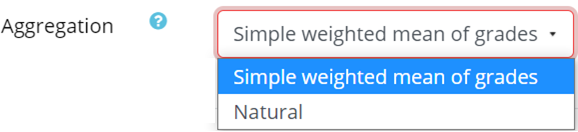
5. Select the Aggregation method:
- Choose Simple Weighted Mean of Grades to take a weighted average of all graded items in the category.
- Choose Natural for the sum of all graded items in the category.
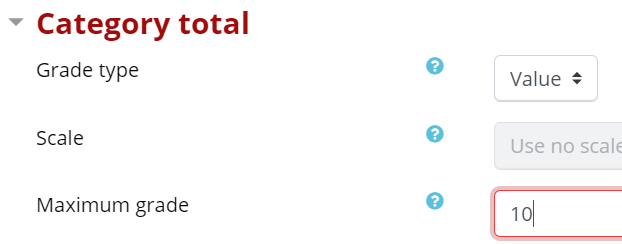
6. In the Maximum Grade field:
- Do not adjust if using the Natural aggregation method.
- Enter the percentage value of the category if using the Simple Weighted Mean of Grades.
7. Click the red Save Changes button.

8. Organize any items into the Gradebook into the newly create Categories.
Return to the Setup Gradebook main resource page for more information on other topics.