
To share resources in hidden Moodle course sections, please do the following:
1. Click the Turn editing on button.

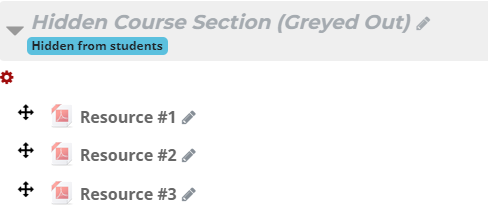
2. Locate a hidden course section in your Moodle course (usually found at the bottom).

3. Upload resources into this hidden course section.
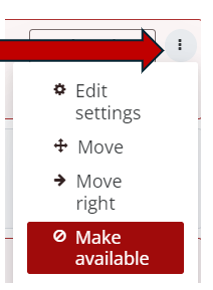
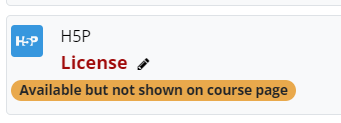
4. From the Edit menu (three dots to the right of each resource), click the Make available option.
5. Click the resource name/link that you have made available.
6. Copy the web address at the top of the screen.

7. Share this web address via link in email, forum posts, Moodle pages or lessons, etc.