
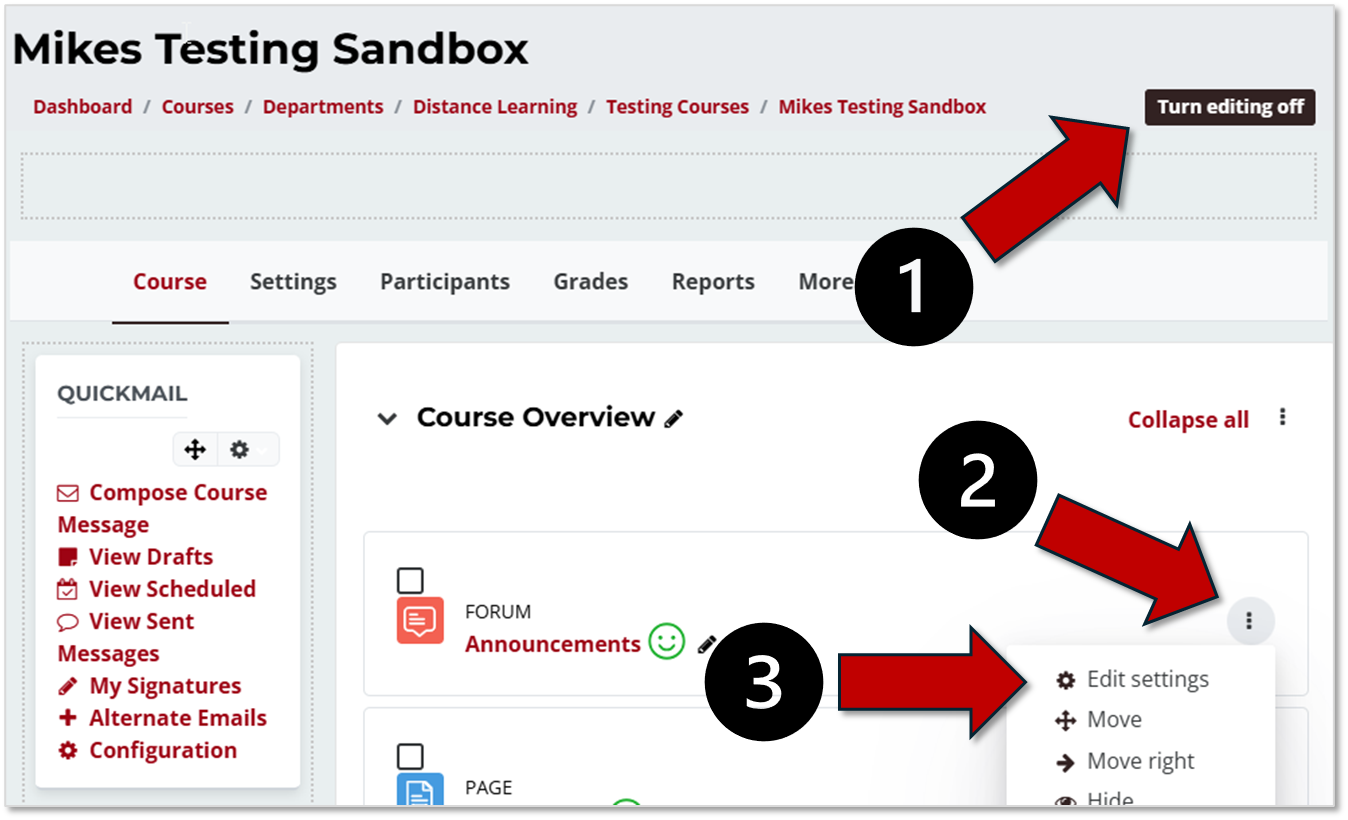
Editing almost any type of content in a Moodle course works in the same way. The basic steps are:
- Click the Turn editing on button at the top right of the screen
- Click the three dots menu to the far right of the item you would like to edit
- Select the Edit settings optionfrom the drop-down list
- Make any edits or changes that you would like to make
- Click the Save or Save and return to course buttons at the bottom of the page