
1. In your Moodle course, click on the Participants link in the Contextual menu at the top of the page.

2. The Participants screen will open. Click on the Enroll users button on the top, right-hand side of the screen.

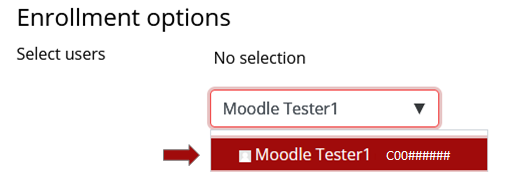
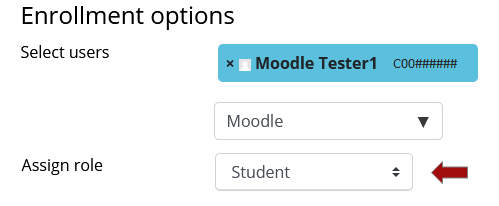
3. In the Search field, type in the full name or ULID of the person, and click on the correct name. It will then appear in blue at the top of this page. You can search and select as many users as you would like at this point.
4. In the Assign Role Field, make sure Student is selected.
5. Click the red Enroll users button when finished.

6. When the screen refreshes, you will see the student listed in the Participants page.